Set the scene on Apple TV
Open Midnight on your Apple TV and check your selected time zone in Settings. The countdown leads toward January 1 in that time zone. Confirm the date and zone shown on your TV, especially if you are celebrating somewhere different from your usual home.
Midnight is an Apple TV app. Your phone is an optional companion for recording a greeting; the cinematic countdown and fireworks play on the television.
Try the moment before the night
Choose Watch the Preview for a free, 55-second sample of the native countdown and midnight celebration. It returns to the invitation when the sample ends.
With an active annual membership, Rehearse Midnight offers the Final Ten Minutes, Final Minute, and Final Ten Seconds. Each rehearsal begins ten seconds before its selected boundary. Rehearsal does not change your Apple TV’s clock or arm the live event.
Make the room feel right
Choose Full Show for music, bells, and effects; Effects Only to leave out the music; or Silent to mute everything, including your personal greeting. Midnight Voice and Crowd Cheering have separate controls.
Adjust motion and lighting to suit your room. Check your TV or receiver volume during a rehearsal, using the sound route you plan to use on the night.
Add your own Happy New Year
Personal greeting recording is included with an active annual membership and is always optional. If you prefer, use the included crowd celebration.
- Open Make Midnight Yours on the TV and scan its QR code with your phone camera.
- Check the matching code and choose Yes, Allow on the TV.
- On your phone, allow microphone access and record up to ten seconds. Get permission from everyone you record.
- Listen back, then choose Send to TV.
- Once the TV has saved it, choose Use This Greeting on your phone or TV. Wait for Ready for midnight.
Keep Current Voice saves the recording without changing what plays. If your greeting is already selected, a prepared replacement is ready automatically. Silent still mutes all audio.
The phone recording page is opened from your TV’s QR code. Visiting the marketing website does not connect a phone to a TV or start a recording.
Keep Midnight open for the celebration
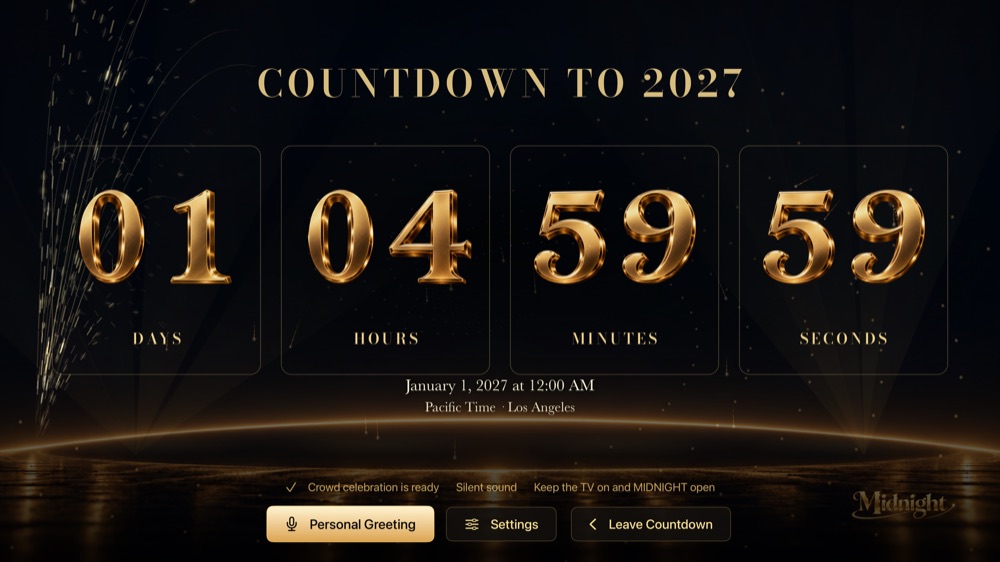
Choose Start Live Countdown and keep your Apple TV on with Midnight in the foreground. The final ten minutes build through music and New Year traditions, followed by the final countdown, twelve bells, and the midnight celebration.
The app cannot wake your TV or run its show while another app is in front. Reopening joins the current phase; it does not replay a missed midnight.
Keep the moment
After the finale, background fireworks continue with a clean celebration screen for photographs. Use Back or Menu on your Siri Remote to bring back the exit controls.
Need a hand with setup or playback? Visit Midnight support.